
Phishing Simulator
Strengthening User Awareness through Simulated Phishing Campaigns
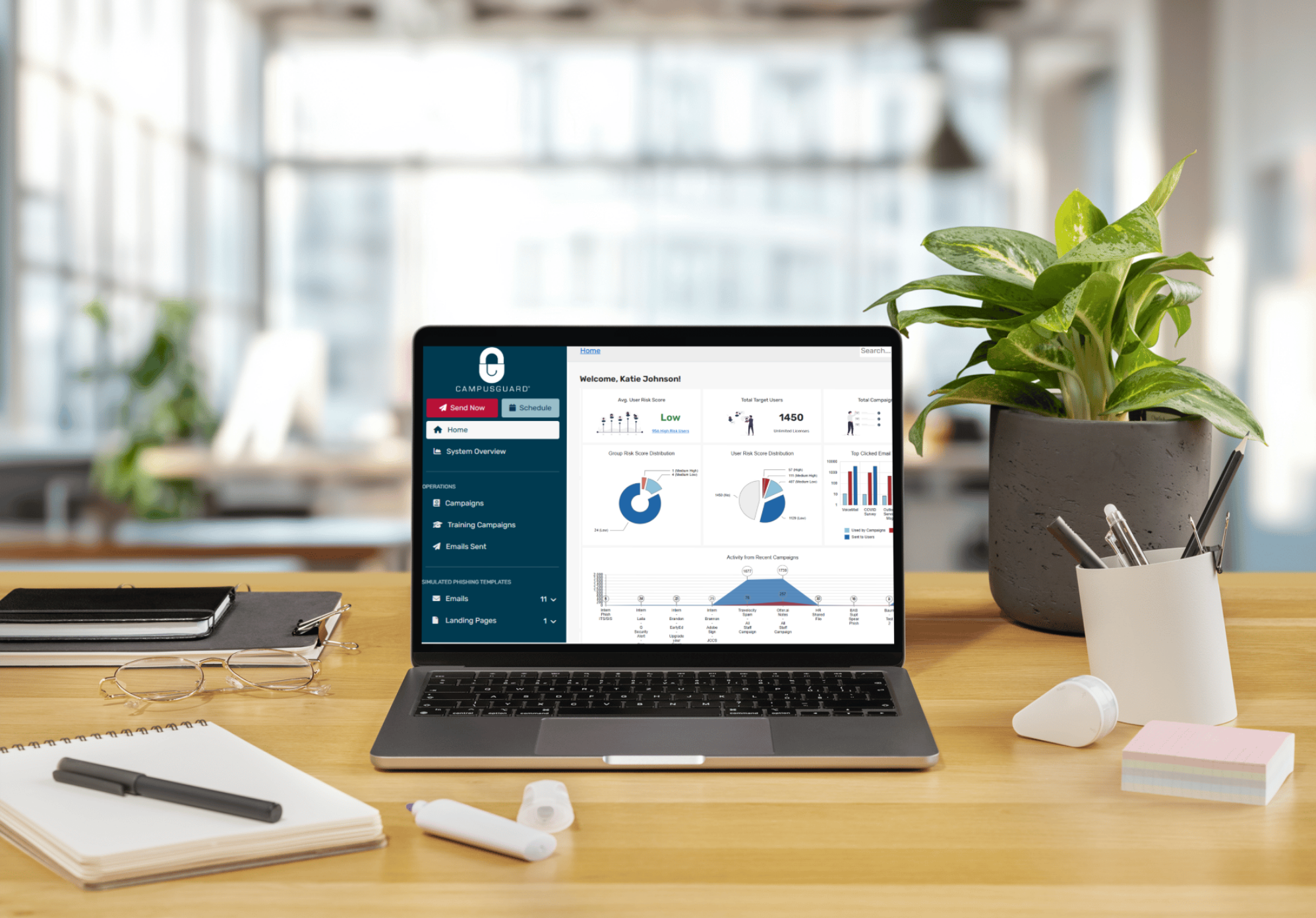
How Well Can Your Users Spot a Phishing Email?
Employees can serve as your organization’s weakest link, especially when they aren’t sufficiently trained to spot a phishing email. Just one user who clicks on a phishing email can seriously put your data at risk while potentially damaging your reputation.
Our Phishing Simulator:
- Sends realistic, customized phishing emails to employees.
- Tracks who opens, clicks, or responds.
- Delivers instant feedback and training to those who fall for the simulated attack.
- Provides managers with reports on risk levels and improvement over time.
How well are your users trained to recognize the indicators of a phishing email?
Request a DemoWhy Choose Our Phishing Simulator?

User-Friendly Design
Build and deploy phishing simulations in minutes with ready-to-use templates designed for all skill levels.

Fully Customizable
Create tailored email and landing page templates to match your organization’s unique training goals.

Advanced Metrics
Access comprehensive platform for phishing simulation, user training, and detailed behavioral analytics.
Key Features of Our Phishing Simulator
A strong phishing simulator doesn’t just test employees, it educates, tracks progress, and reduces real-world risk by making phishing awareness a continuous, measurable process. Here are some of the key benefits of our phishing simulator:
-
Custom Analytics & Reporting Dashboard
Access campaign summaries and metrics on click rates, credential entries, reporting rates, and overall risk scores. -
Extensive Library of Email Templates
Use pre-built phishing templates or create your own. Test users on various attack methods, including phishing, spear phishing, trackable QR codes, and credential harvesting. -
Custom Campaign Creation
Schedule simulations across the entire organization or specific departments. Select the difficulty levels (basic spammy emails vs. advanced spear phishing). -
Continued Awareness
Keep your organization safe and resilient against phishing and other social engineering attacks. Improve awareness with customized emails and landing pages, cyber awareness videos, or supplemental training. -
Targeted User Groups
Send targeted emails to identified employee groups, based on their role or identified risk score. -
Report Phishing
Gmail/Office 365 mail client plug-in for targeted users to report phishing emails with a phishing report dashboard to view and investigate reported emails.
Key Benefits of Our Phishing Simulator
Using a phishing tool on your users as part of a security program offers several key benefits that strengthen your organization’s cyber defenses:
-
Increase User Awareness
Most breaches start with a human error. Simulated phishing campaigns help employees recognize suspicious emails, links, and requests, reducing the chance they'll fall for real attacks. -
Measure and Improve Security Posture
You can’t improve what you don’t measure. Phishing tools provide detailed metrics on who clicked, who reported, and who submitted credentials—helping identify weak spots in your human firewall. -
Targeted Security Training
Not all employees have the same risk level or awareness. Users who fall for simulated phishing can be given tailored training, making your awareness program more efficient and effective. -
Strengthen Incident Response
Detecting and responding quickly to real phishing attempts limits damage. Running phishing tests helps test and refine incident response processes, like email reporting or automated isolation. -
Risk Identification by Department or Role
Executives, finance teams, and IT staff are higher-value targets. Pinpoint which roles or departments are more vulnerable and apply stronger controls or focused training. -
Validate Technical Controls
Security tools like spam filters or endpoint protection may not catch every threat. Simulated phishing helps test if email gateways, EDR, or DNS filtering are catching malicious payloads and links. -
Compliance and Audit Readiness
Standards like PCI DSS, HIPAA, NIST, and ISO 27001 often require security awareness. Phishing simulations can be used as documented evidence of an ongoing security training program. -
Culture of Vigilance
A security-aware culture lowers risk across the board. Regular phishing tests create habits, like hovering over links or reporting suspicious emails, so vigilance becomes second nature.
Why Do You Need a Phishing Tool?
-
Gauge the Need for Security Awareness Training
Our phishing tool serves as a valuable way to teach employees to recognize and avoid phishing attacks. Sending simulated phishing emails to see how many employees click a link or enter their credentials allows you to assess their resiliency and readiness against phishing campaigns. -
Behavioral Analytics
Understand user behavior and risk tolerance when interacting with potential phishing emails. Track how different departments respond to various phishing scenarios. -
Measure Your Organization’s Phishing Risk
Simulate a phishing attack to see how many users take the bait. Use the results as a benchmark for improving awareness over time. -
Incident Response Training
Help IT/security teams practice responding to phishing incidents. Simulate a phishing attack and assess how the response team detects and mitigates it. -
Tool and Policy Validation
Validate the effectiveness of email filters, antivirus software, and endpoint protection. Phishing campaigns can test whether simulated malicious links or attachments are blocked.
Simulated Phishing: The Smart Way to Boost Security Awareness
Ready to see our phishing simulator in action? Request a demo to explore our phishing tool, including a robust dashboard that gives you a complete view of your phishing campaigns, user behavior, reports, and more!
Top Phishing Tool FAQs
Best practice is monthly or quarterly, with variations in difficulty and themes to keep training effective.
- Clicking on links may direct you to a fake login page or a malicious website designed to steal your credentials.
- Downloading attachments (e.g., PDFs, Word docs, ZIP files) can install malware or ransomware on your device.
- Replying might give attackers more personal or business information.
- Forwarding could accidentally spread the phishing attempt.
If you suspect a phishing email, don’t click anything. Report it to your IT/security team.
Use the “report phishing” feature if available.
Delete it if you’re certain it’s a scam.