- Services
- Products
-
-
- Online Training
- Information Security Awareness Training Course
- PCI DSS Compliance Bundle
- GLBA Awareness Training Course
- CMMC Training Course
- HIPAA Awareness Training Course
- Data Privacy Training Course
- Payments Security Training Course
- Phishing Awareness Training Course
- GDPR Training Course
- FERPA Training Course
- FACTA Training Course
- Online Training
-
- Compliance
- Markets
- Insights
- About
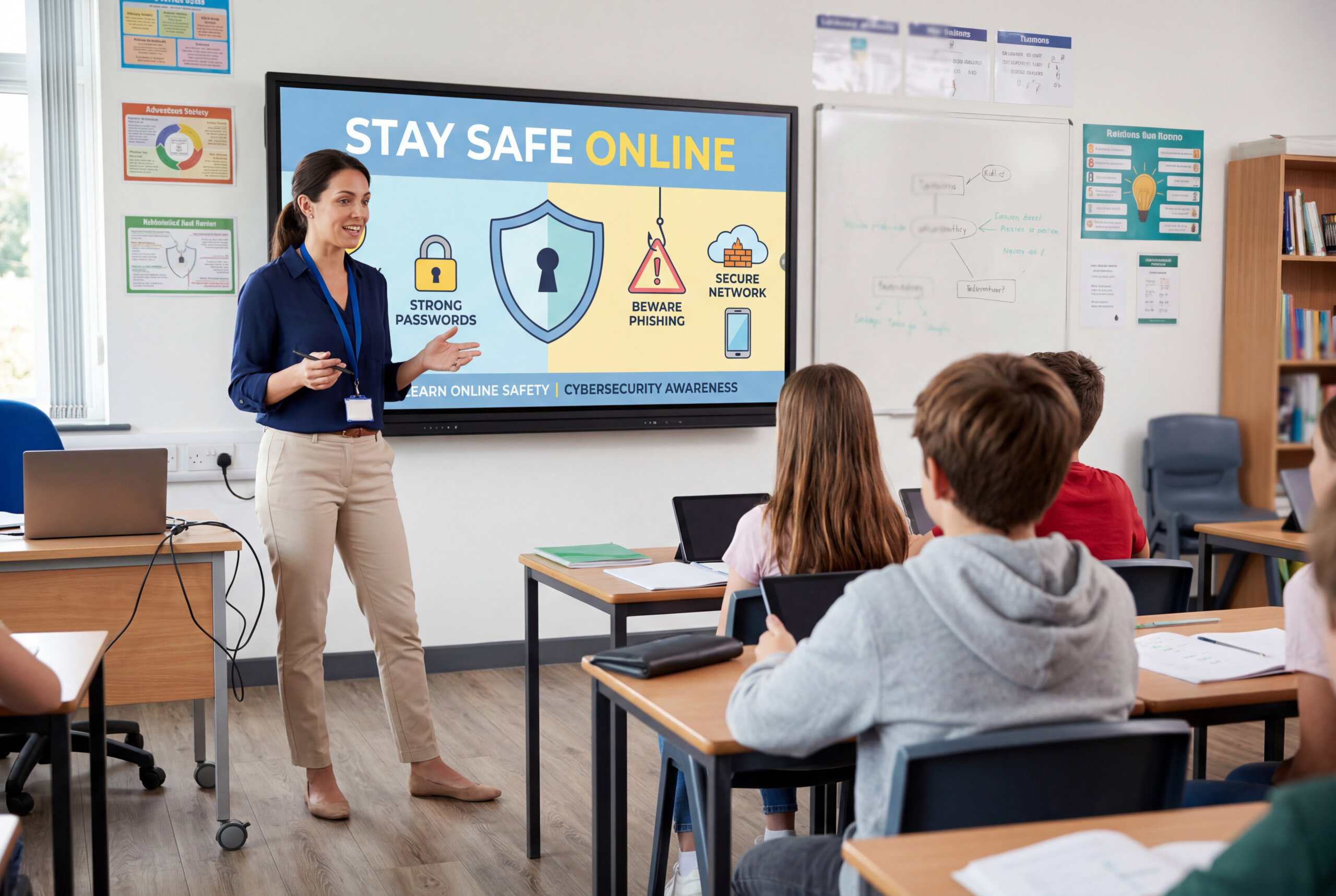
Today’s students have been immersed in digital technology from an early age. Whether they’re submitting assignments online, watching educational videos, checking grades, playing video games, or scrolling YouTube videos, technology has become a part of everyday life.
While technology offers countless opportunities, it also creates risks. Cybercriminals target students just as they target business and adults, through scams, phishing emails, fake websites, and stolen passwords. Cybercriminals are constantly looking for ways to steal information, gain access to accounts, or trick people into clicking harmful links.
The good news is students don’t need to be technology experts to stay protected against cybercrime. By learning a few basic security habits, they can protect themselves, their devices, and their personal data from common threats.
What Is Cybersecurity?
Cybersecurity is the practice of protecting computers, phones, tablets, online accounts, and personal information from unauthorized access or attacks.
Think about it this way: most students lock their bikes, protect their backpacks, and keep valuable items in a safe space. Cybersecurity works the same way. Instead of protecting physical belongings, it protects digital information.
Without cybersecurity, personal information can be stolen, accounts can be hacked, and devices can become infected with malware.
Why Are Students Targets?
When people think about cybercrime, they picture attacks against businesses, banks, or government agencies. However, students are often attractive targets because they spend the majority of their time online.
Your school account contains personal information, emails, and academic records. Your social media accounts hold your private messages and personal details. Your gaming accounts contain valuable purchases, rare items, and years of progress.
Cybercriminals understand that students are also more likely to click suspicious links, reuse passwords, or trust online messages without questioning them. With the percentage of young adolescents who have access to mobile devices increasing by 14% from 2019 to 2026, a growing number of students have become vulnerable to cybercrime.
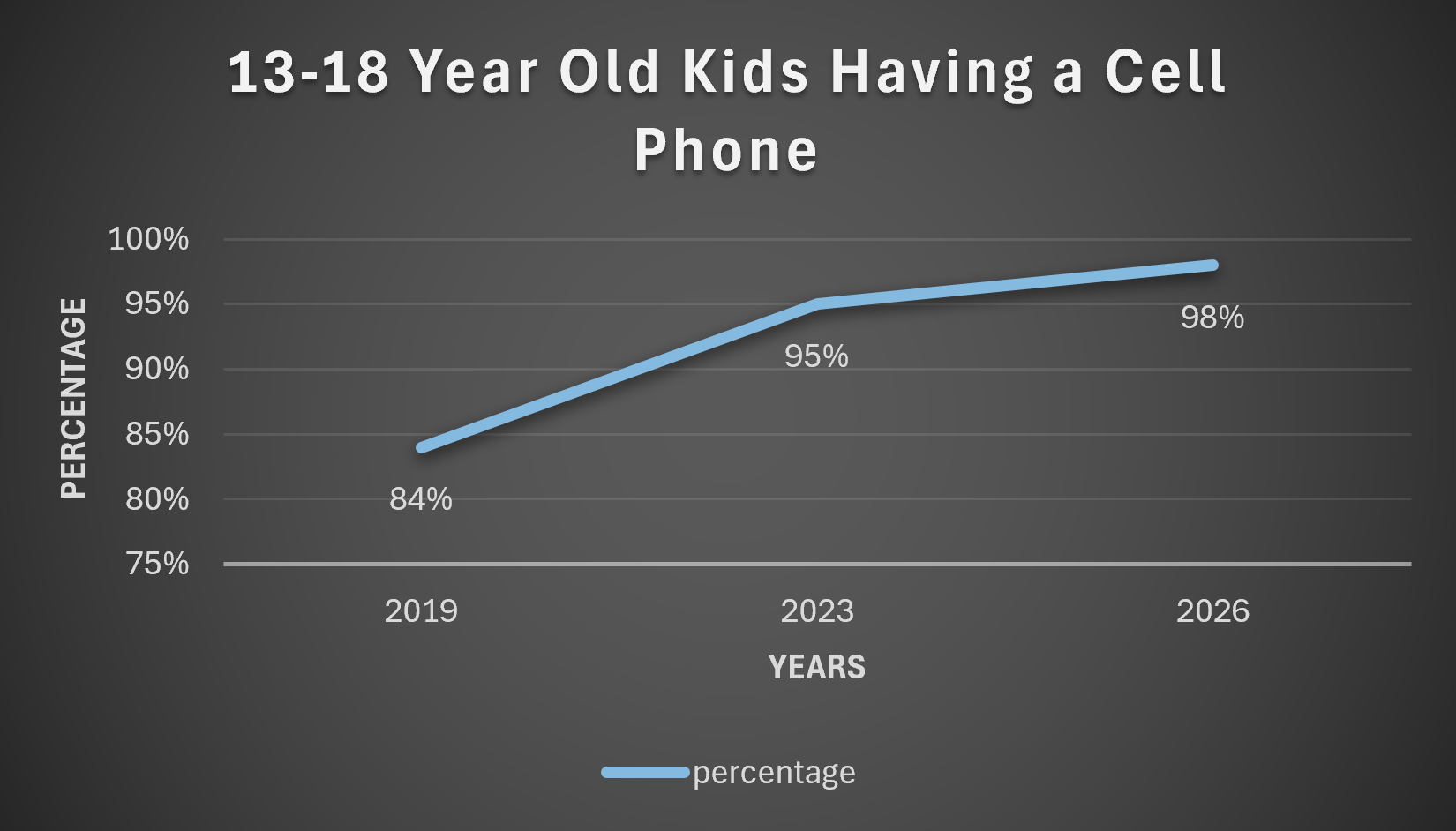
Sources: Common sense media, Statista, and Earth Web
Your Password Is Your First Line of Defense
Many students use the same password for their school account, email account, and favorite games. It seems convenient because it’s easy to remember. Now imagine one of those websites experiences a data breach, or an attacker is able to crack your password.
Suddenly, attackers have access to your password and will use that information to attempt to access other common websites. Within minutes, your email, school account, and gaming profile could all be compromised.
A strong password should be difficult to guess and avoid personal information such as birthdays, pet’s names, or favorite sports teams. While creating multiple passwords may seem inconvenient, it greatly reduces the risk of multiple accounts being compromised at once.
Gaming Accounts Are Valuable Targets
According to research by Kaspersky, cybercriminals frequently target young age gamers using fake websites and phishing messages, offering free rewards to steal account information. Many students spend hundreds of hours building gaming profiles, unlocking achievements, and purchasing in-game items.
A common scam begins with a message promising free in-game currency, exclusive skins, or special rewards. The user clicks a link and is taken to a website that looks identical to the game login page. After entering their username and password, nothing happens. The reward never appears because the website was fake. Instead, the attacker now has access to the student’s account.
Protecting School Accounts and Personal Information
Your school account often contains more information than you realize. It may provide access to grades, assignments, email communication, and academic records making this data an attractive target for cybercriminals.
Students should avoid sharing passwords, logging into accounts on unfamiliar devices, or leaving school computers unlocked when stepping away. Protecting personal information helps reduce the likelihood of becoming a target.
Other Security Safety Tips
- Enable multi-factor authentication whenever possible.
- Never click on suspicious links. Instead, go directly to official websites.
- Avoid using public Wi-Fi (campus cafes, libraries) for sensitive tasks.
- Don’t auto-connect to open networks.
- Lock screens with PINs or biometrics.
- Keep apps and software updated (patches fix vulnerabilities).
- Don’t plug into unknown USB drives.
- Enable “Find My Device” and remote wipe capabilities.
- Don’t overshare personal details on social media.
- Review the privacy settings on all platforms.
- Only download apps from official app stores and trusted sources.
- Beware of free software/apps bundled with malware.
- Review app permissions so you don’t share your contacts, photos, or location if not needed.
- Log out of shared/lab computers.
- Watch out for fake “student discount” sites that harvest your card information.
- Learn who to contact if something goes wrong (someone compromises your account, you click on a phishing email, etc.).
Final Thoughts
Cybersecurity isn’t just for technology professionals. Every student who uses the internet plays a role in protecting their information and accounts.
By creating strong passwords, recognizing phishing attempts, protecting gaming accounts, being careful on social media, and practicing the tips above, students can significantly reduce their risk of becoming a victim of cybercrime.
Technology will continue to evolve, but the basic principles of cybersecurity remain the same: think before you click, protect your information, and stay alert online.
Want to learn more about helping students build safer online habits? Contact CampusGuard to explore cybersecurity awareness resources designed for K-12 schools and students.